
Social Media Apps are that apps in which we can share many things like :-
- ideas
- interaction between others
- sharing videos
- We can do shopping also. For more info https://www.gossipsaga.com/
Many apps include in this :-
- YouTube
- Flipkart
- Amazon
- Myntra
- Messho
SOCIAL MEDIA APP INSTAGRAM

If you have to create a new account then follow this :-
- Write username.
- Think and then write strong password.
- Profile info
- write nickname
- add bio
- follow those who are in your contacts.
- all the info completed
- you completed all details
- now you can use your id
If you have the Instagram id or don’t know how to use
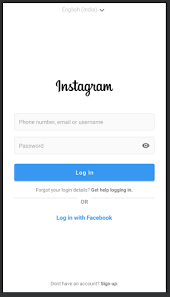
- add username and password
- login
SOCIAL MEDIA APP FACEBOOK
First you have to make faceBook id / account steps to follow –
- To sign up , first you have to create a new account.
- Enter your first name and last name, mobile number , email address , password , date of birth and gender.
- Enter the code to verify that has been send on email or SMS.
- Add profile picture, personal information and cover page.
- You want more security , then go to settings > password and security and then enable two-factor authentication .
SOCIAL MEDIA APP YOUTUBE

First make email id ,then only we can open our YouTube channel.
Follow these instructions to create a channel
- Sign in to YouTube.
- Click your profile picture
Settings
.
- Go to the Account section
- select Add or manage channel(s).
- Click Create a channel
.
- Choose a profile picture, type in your name and Handle.
- Click Create channel.
